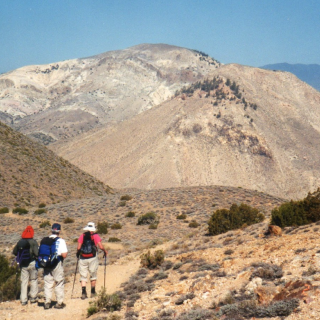
The Hundred Peaks Section is pleased to be able to offer our HPS maps in a variety of formats for you to use. These can hopefully make the collective experience of our members more accessible and meet the needs of every hiker and climber. Each peak page has a:
Link to open the peak’s map in CalTopo to view, download or print
Multipage pdf map (from CalTopo) to print or keep on one’s devices
GPX file of the map to download for GPS devices and other purposes
KML file one can use in Google Earth,
Older Nat Geo maps and historic Washburne maps as pdfs
As Caltopo is central to our maps, we have made a tutorial on how to get started using Caltopo to view, create and print maps. There are also many good videos online.
By whatever method or format you choose to use our maps, we hope you enjoy them and find them useful.
Since the very start of Weldon Heald’s “Hundred Peaks Game” in 1946, maps of the peaks were created and shared among Sierra Club members. These had Heald’s notes about the hiking route with hand drawn routes on USGS maps. The written notes eventually became more and more detailed and eventually placed on the HPS website as peak guides. HPS maps have always contained all of the official routes to each peak and some common variations, as well as nearby peaks that people often hike in the same outing, and match the written route in the peak guide.
Heald’s original hand drawn notes were later redrawn by Brent Washburne to produce the so-called Washburne maps, which you will find as a link on each peak page and in the archives section. These maps are detailed and surprisingly accurate. Some members still use them.
About 25 years ago, the maps were redrawn once again into digital format using the now discontinued National Geographic Topo software and their outstanding map set, and TPO files were made available to members on the web site to download and print their own maps. The maps were updated a few years ago and printable versions made available on the web site. Although they are no longer being updated, they remain available on the new site for those who prefer them.
The maps were moved to CalTopo a few years ago, and thoroughly updated again for the new website. Routes that require great detail for complex navigation have been replaced with tracks recorded by members. Those that are not recorded have been matched to MapBuilder map routes.
In Caltopo and in the printable maps, the default map layer is the USFS 2016 map, where one is available, but with a MapBuilder overlay. Where an USFS map is not available, a MapBuilder map is usually used. MapBuilder is a crowd-sourced map source that is up to date and will be more and more useful as the USGS and USFS maps become increasingly outdated. Though valuable, an unintended consequence of this overlay is that labels on features are often duplicated. Users can change to any map layer when viewing or printing from Caltopo.
Most users will want to download and print the map pdfs but “power users” will want to import the features they want from the GPX on the web site to make their custom maps. Users can also export JSON files from Caltopo (downloadable JSON files are not currently available), which preserves the formatting.
Additional notes:
Google Earth is not capable of storing data on the web for online display, so clicking the Google Earth link on the peak page only displays the peak. However, one may easily view our maps in Google Earth by downloading the KML file and clicking on it. The map will then open in Google Earth, if it is installed on the computer or mobile device. Try it, you will love the results! Be aware that our GPX files do not import properly into Google Earth; so always use the KML files for that purpose.
Disclaimer:
The official HPS routes have been hiked and vetted over decades of use but users should be aware that they are ultimately responsible for their own navigation and safety and that they use these maps at their own risk. Being an official HPS route does not guarantee that the route is safe for any particular individual’s skill level or that unknown hazards are not present.